
An IPTV M3U list is a plain-text file that contains encoded playlists of live channels, VODs, movies & series. The text is encoded, so when you add an M3U list to an IPTV player, it points to the server where these channels and VODs are hosted. You can open this file and read it. It is just plain text.
Think of an M3U list like a map. It contains plain text and figures on plain paper, but when we add this map into an app in digital form, it leads us to wherever we want to go. The M3U list works the same. When we add the M3U list to an app, it leads us to the streaming server. We can watch encoded content in the M3U URL on our IPTV player.
A free IPTV M3U list contains all the public channels. Sometimes it contains paid channels as well. This free M3U list is often banned due to the distribution of copyrighted content without permission of the broadcaster.
You can ask why the paid IPTV M3U list isn’t banned. The reason is that these M3U lists are served via a secure and private IP. Servers for these channels are in unknown locations or in countries where law enforcement agencies couldn’t find them. They can be banned if they get caught, but they don’t publicize any clues that get them caught. The second reason is that they have hundreds of servers; if one server’s content is banned, they switch to another and another and another and so on.
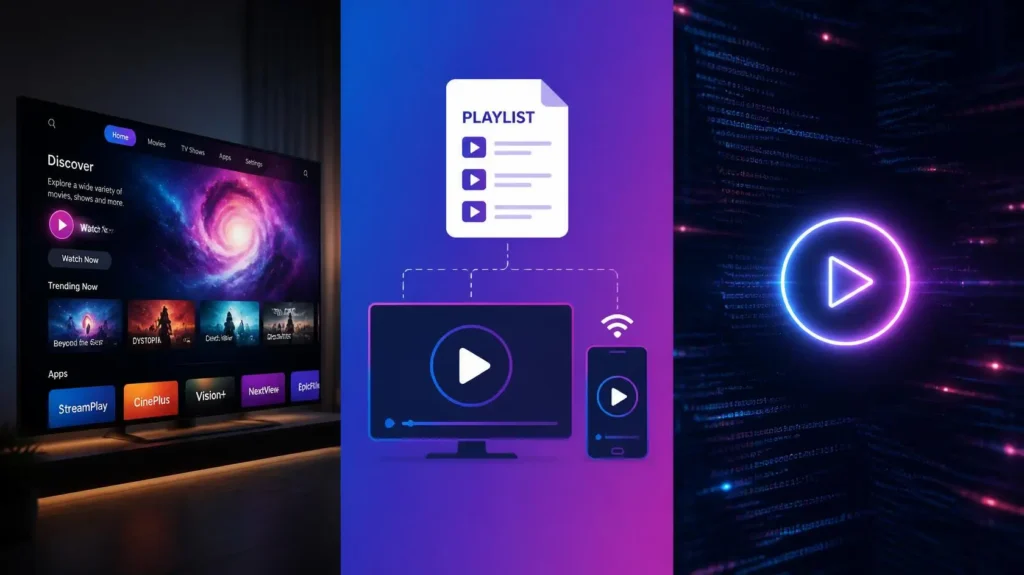
What is an IPTV M3U list?
An IPTV M3U playlist is a simple text document like this blog, which acts as a multimedia playlist. It contains a list of file paths or streaming URLs that lead the media player to the server where the channels and VODs are being hosted. It is not a video or audio file. It’s just plain text that points the IPTV player towards the server. You can watch live channels, VODs, and audio on your internet.
In easy words, let’s suppose you are in a new city and you need to reach somewhere. You ask locals for directions, and they lead you toward your destination. The second option is that you open a map on your mobile and enter the destination, and Google Maps will lead you toward your destination. The same is true with the IPTV player: you put the M3U URL, which points the IPTV player to the server where these channels are being hosted.
In the past, M3U lists were used for MP3 content only. Then it evolved and became famous, and now it is used for video, audio, and live channel delivery. It is easy to create and share, and it is widely used for content distribution now. You can edit an M3U list, add more content, or remove something as well. You need to know the basics of an IPTV M3U list before editing; otherwise, you will break an M3U list, and it can become useless due to errors.
Example of an IPTV M3U and a simple M3U playlist:
Older M3U URL
#EXTINF:240, Daft Punk – One More Time …\Music\Discovery\01_one_more_time.mp3
IPTV M3U playlist.
#EXTM3U
#EXTINF:-1 tvg-id=”news.us” tvg-name=”Example News” group-title=”News”,Example News HD
#EXTINF:-1 tvg-id=”sports.us” tvg-name=”Example Sports” group-title=”Sports”, Example Sports 24/7
#EXTINF:245, Sample Local Audio Track
C:\Users\Public\Music\sample-song.mp3
Difference between an IPTV M3U list and M3U8
The simplest difference between an IPTV M3U and an IPTV M3U8 URL is that an IPTV M3U is only written in English or European languages, using the Latin-1 (ISO-8859-1) encoding or ASCII, and an IPTV M3U8 URL can be written in any language, whether it is Arabic, English, Italian, or German, and standard characters as well. In an M3U URL, if you ever include any other language alphabet or non-standard characters, it is going to break the whole URL.
Both link creations are difficult. If you want to create an M3U or M3U8 link, visit websites on Google that are only for M3U and M3U8 link creation. If you are not a technical person, then skip this part. The simple difference is given below.
| Feature | M3U URL | M3U8 URL |
| What it stands for | MP3 URL | MP3 URL (8-bit) |
| Main Difference | Uses older, standard text encoding (Latin-1). | Uses modern text encoding (UTF-8). |
| Language Support | Struggles to display special characters, accents, or foreign languages (like Arabic, Hindi, Chinese, or symbols). | Perfectly displays all languages, foreign alphabets, accents, and emojis. |
| Primary Use Case | Older audio playlists, local media players, and older IPTV systems. | Modern internet video streaming (live TV, Netflix-style streaming, and modern IPTV). |
| Browser Compatibility | Rarely plays directly in any web browser. | Plays automatically in Apple Safari and modern mobile devices. |
Best affordable IPTV M3U list subscription.
If you want to buy an IPTV M3U list for yourself, then visit our pricing plan and choose the plan that best suits you. If you are hesitant, then get a 24-hour free trial and decide for yourself. Give us a chance, and we will never disappoint you.
If you want to buy an IPTV M3U list from someone else, then ask them for an 8K Strong server. An 8K Strong server is the best server overall. Of all IPTV servers, 8K Strong is the best, and I guarantee it. It is not only about specification and hardware but also on the basis of user reviews and responses as well.
Free IPTV M3U lists GitHub and beIN Sports M3U GitHub.
You can get a free IPTV M3U list and a beIN Sports list from GitHub, other websites, search engines, and discussion forums. The issue is that these URLs are not consistent. They work for some time and then get banned. They mainly contain public channels and sometimes a beIN Sports M3U URL as well. When the broadcaster knows about these URLs, they ban these channels.
The best solution is to get a paid IPTV M3U URL from an IPTV subscription provider. Their servers are unknown; they use private IPs, and the chances of them getting banned are far less than with a free M3U list. If it gets banned, then the IPTV provider will provide another URL. They have a lot of servers for the same content and cannot be banned all at once.
Drawbacks of free IPTV M3U: beIN Sports M3U on GitHub or any other platform.
- M3U URL changes often. Almost all free M3U URLs break within 72 hours.
- No one provides a consistently changing URL
- Had a lot of buffering and freezing during streaming. Only a simple stream can’t be consistent. Lag of minutes and hours
- Doesn’t even work during the peak hours.
- Got banned within a few days.
- No catch-up and EPG at all.
What is the difference between a free and paid M3U list?
I’m going to share a table of the main differences between free and paid M3U URLs
| Feature | Free M3U Playlists | Paid M3U Playlists |
| Cost | Completely Free ($0) | Monthly/Yearly Subscription Fee |
| Stream Reliability | Low (channels freeze or disappear frequently) | High (dedicated servers with anti-freeze setups) |
| Video Quality | Mostly SD / Standard Definition | Full HD, 4K, and high-bitrate options |
| TV Guide (EPG) | Rarely included or requires manual setup | Natively supported and automatically updates |
| Device Limits | Unlimited people can use the same link. | Strictly limited (Usually 1–2 devices active at once) |
| Best Used For | Basic international news & public television | Live sports, premium movie networks, and reliable daily TV |
Set up an IPTV M3U list on IPTV Players: Smarters Pro, Tivimate, VLC, SIPTV, Sky Glass, 4K Cloud, 8K, and others.
Setting up an IPTV M3U list on a player includes two steps. These are simple steps you can do yourself. If you have any issues, then read our IPTV setup guide or contact us, and we will help you get started.
Download and install an IPTV player.
- Go to the app store of your smart TV, IPTV box, or Firestick.
- Search for your favorite player from the search bar, and download and install it.
Add a playlist to the player.
- Open the settings and click on “Add playlist.”
- Enter your URL into the player, and you are ready to go.
- Sometimes your player doesn’t have the option, and you need to add an M3U URL online. Search for the player on Google, open the site, and click the Add Playlist option. It will ask for your MAC address and key. You can find both in the player’s settings. Log in, paste the M3U URL, and restart your player; your playlist will be added.
- If you bought an IPTV subscription from an IPTV subscription provider, share your MAC address and key with the provider, and he will add the M3U URL for you. You just need to restart your device, and you are done.
Best IPTV players for the IPTV M3U List.
These are the best IPTV players overall, and most of them are free. This list was created based on real user reviews only.
- 8K Pro
- 4K Cloud
- Tiviate 8K PRO
- Tivimate
- IPTV Smarters Pro
- B1G
- B1G Sky
- Sky Glass
- Sky Glass Infinity
- Golden OTT / Magnum OTT
- IBO Player
- G TV
- Zum TV
How to buy an IPTV M3U list subscription and get started with IPTV EXPERT.
You can buy a subscription and get started with IPTV EXPERT in three simple steps.
Step 01
Visit our IPTV subscription pricing plan, select the plan that best suits you, and place the order.
Step 02
You will receive the billing information by email. If you didn’t receive the email, then contact us on WhatsApp. If you are comfortable paying on WhatsApp, then click the Pay on WhatsApp button. If you have any queries before paying the bills, then contact us on WhatsApp. First, we will sort out your query and hesitation, then proceed.
Step 03
After bill payment, we will send your IPTV subscription credentials by email or WhatsApp. If you are facing any issues setting up your device for IPTV, contact us, and we’ll help you set up your device step by step till the end. We will help you add subscription details, and we will be with you until you start watching.
