
Smarter Pro is the best player for IPTV so far. It has a user-friendly dashboard. The dashboard is so easy that even a common person can set it up for IPTV. So far, we have received the best user reviews. Most of the customers are satisfied with the player.
Now our customers are also experiencing other players, but their craving for IPTV Smarters Pro is the same as when it was new. It provides a reliable and satisfying experience.
Note: IPTV Smarters Pro also has its own subscription, and you can use it for an IPTV subscription as well. You can buy an IPTV subscription from any provider and add your playlist into Smarters Pro. So you don’t need to buy a specific Smarters Pro playlist subscription; you can add any IPTV playlist and stream content in Smarters Pro.
Smarters Pro is just a player, and there is also an IPTV Smarters Pro server too, so don’t get confused. It is the same as other players like VLC, TivMate, 4K Cloud, and IBO Players.
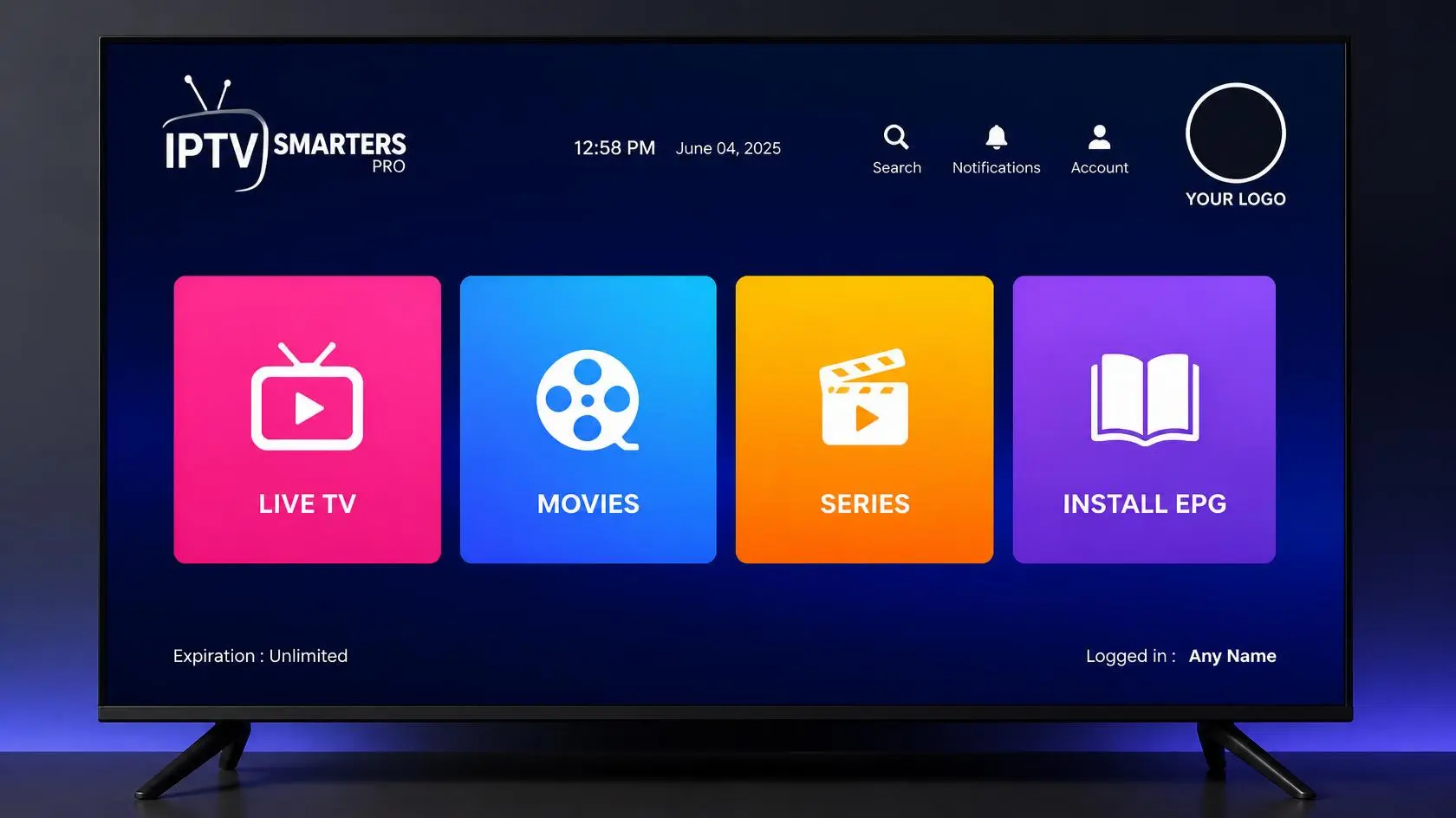
What is Smarters Pro?
Smarters Pro is a player like any other player. It is the most powerful player for IPTV. It helps users stream live TV, movies, series, and VOD from the IPTV service provider. It is much better than all other players on the market and much easier to use. You can load your IPTV subscription using the M3U link or the Xtream API. Just add the M3U link or the Xtream API, and you are ready to GO. The M3U URL and Xtream API will be sent by the IPTV subscription provider.
Why Smarters Pro?
IPTV Smarters Pro is the most famous IPTV player. It is easy to set up. It is easy to navigate and easy to use. It provides a smooth and reliable experience. Whether you are watching a movie, series, or live TV, you’ll get the best experience with Smarters Pro.
Key features of IPTV Smarters Pro.
- Live TV: You can watch all live channels, sports, PPV events, and live shows.
- VOD & Series: There is a specific section for VOD and series. Every IPTV server contains an extensive library of on-demand movies and series.
- Catch UP: Catch-up means rewatching missed content. For example, if you miss any of your favorite matches or shows, you can watch them within the supported time. Make sure the IPTV server has catch-up.
- Parental control: You can block adult content behind a PIN. If your children don’t need to watch this content, you can hide it behind a PIN. Otherwise, you can ask the provider to strip adult content.
- Multiple screens. Multiple screens are only available in the paid version of the Smarters Pro player. You can watch multiple channels or movies at the same time.
Difference between the free and paid versions of Smarters Pro
First of all, keep in mind that we are discussing only players and not the IPTV Smarters Pro service or servers. Just IPTV Smarters Pro Player.
Smarter Pro Player is free to use, and you can load any IPTV service from any IPTV service provider, but it also has a paid version as well. Most people prefer the free version of Smarters Pro Player because it has almost all the things that are necessary to use IPTV.
If you want to buy a paid version, then I suggest choosing IBO and Duplex Bob players, because their paid versions are much better than the paid version of IPTV Smarters Pro.
There are the following differences between the Smarters Pro paid and free versions:
| Feature | Free Version | Paid (Premium) Version |
|---|---|---|
| Playlist Support | ✔ IncludedLoad M3U URLs, Xtream API, and Mac addresses. | ✔ EnhancedSave multiple playlists with faster profile switching. |
| Standard Search | ✔ IncludedSearch items within Live TV, Movies, or Series sections separately. | ✔ IncludedRetains all native standard local category searches. |
| Master Search | ✖ LockedCannot search everything globally at once. | ✔ IncludedA single search bar dynamically scans the entire database. |
| Multi-Screen View | ✖ LockedLimited to viewing one stream layer at a time. | ✔ IncludedWatch up to 4 video feeds simultaneously split across screens. |
| Picture-in-Picture | ✖ LockedPlayer closes if you switch away or navigate away. | ✔ IncludedFloat mini video boxes over secondary applications seamlessly. |
| Advertisements | ⚠️ Ad-SupportedSmall layout visual display banner ads load inside user menus. | ✔ Ad-FreeCompletely wipes code injection menu advertisements out permanently. |
Difference between Smarters Pro and Smarters Player Lite.
IPTV Smarters has two versions of free players as well. These two versions are both free.
- IPTV Smarters Pro: This is the most advanced and feature-rich application. It was built for heavy customization and heavy machines. It works on Firestick, Mi Stick, Samsung and LG smart TVs, Android, and Android boxes.
- IPTV Smarters Lite: This is a lightweight version of Smarters Pro, and it was created only for those applications that don’t support a heavy player like IPTV Smarters Pro. It was created only for iPhones, iPads, and tablets, and it works best on them.
| Core Criteria | IPTV Smarters Pro 📺 | Smarters Player Lite 📱 |
|---|---|---|
| Primary Focus | Premium Interface All-in-One Engine A feature-heavy, customizable layout built for a full home cinema streaming experience. | Speed Optimized Streamlined Player A stripped-back, minimalist player focused purely on raw playback without visual bloat. |
| Device Strengths | Heavy Hardware Only Perfect for Amazon Firestick, Android TV Boxes, Smart TVs, Windows PCs, and macOS systems. | Mobile & Light Hardware The primary choices for Apple iOS (iPhone/iPad), Apple TV, and older or low-budget streaming sticks. |
| Resource Usage | Higher Processing Load Uses more RAM and system memory to load rich graphics, layouts, caching, and multi-playlist storage data. | Featherweight Footprint Highly optimized codebase that boots up instantly and leaves a minimal device memory footprint. |
| VOD & Series Tracking | Advanced Media Center Layout Displays comprehensive categorizations, series episode groupings, movie trailers, posters, and cast summaries. | Basic File Folders Displays on-demand video titles in direct text lists to conserve interface loading speeds. |
| Multi-Screen Viewing | Supported (Up to 4 Streams) Allows you to watch up to 4 live sports matches or channels simultaneously split across the screen. | Not Supported Strictly limited to a single continuous stream layer at a time. |
| Multi-User Profiles | Supported Allows you to create distinct household profiles with separate favorite settings and active watch lists. | Not Supported Loads and updates a single primary active playlist configuration context at a time. |
| TV Guide (EPG) | Advanced Time Grid Features complete timelines, channel logos, and interactive electronic guide programs with continuous updates. | Basic Layout List Features a basic “Now & Next” format showing only current and upcoming programs. |
How to install and set up IPTV Smarters Pro on different devices.
IPTV Smarters Pro is compatible with a large number of devices. But it also has limitations, and it doesn’t work on most smart TVs except Samsung and LG. It also doesn’t work on boxes except the Android box. Below is the step-by-step installation guide for all compatible devices.
IPTV Smarters Pro installation and setup on Firestick and Mi Stick.
Downloading:
1. Connect the Fire Stick to your computer. Connect to the internet via wifi with the help of the remote. The process is the same as when we connect our Mobile or computer to the wifi.
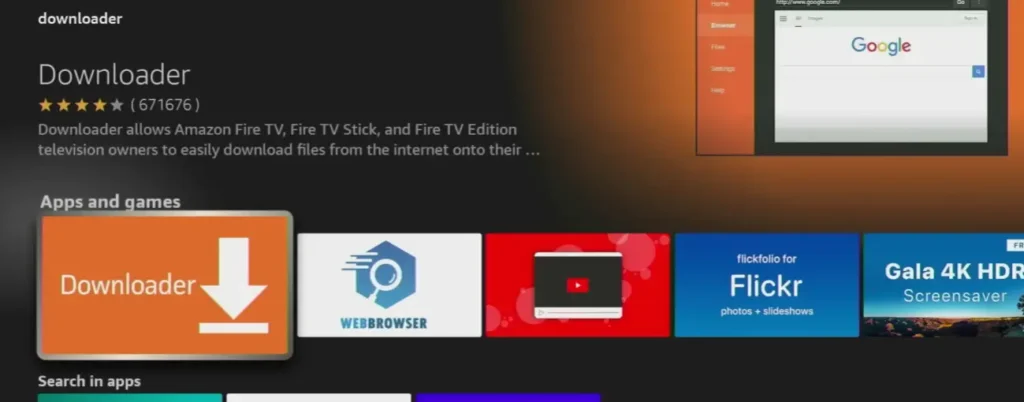
2. Go to the search bar and search for the downloader app. Download an orange-colored downloader. The downloader by AFT News.

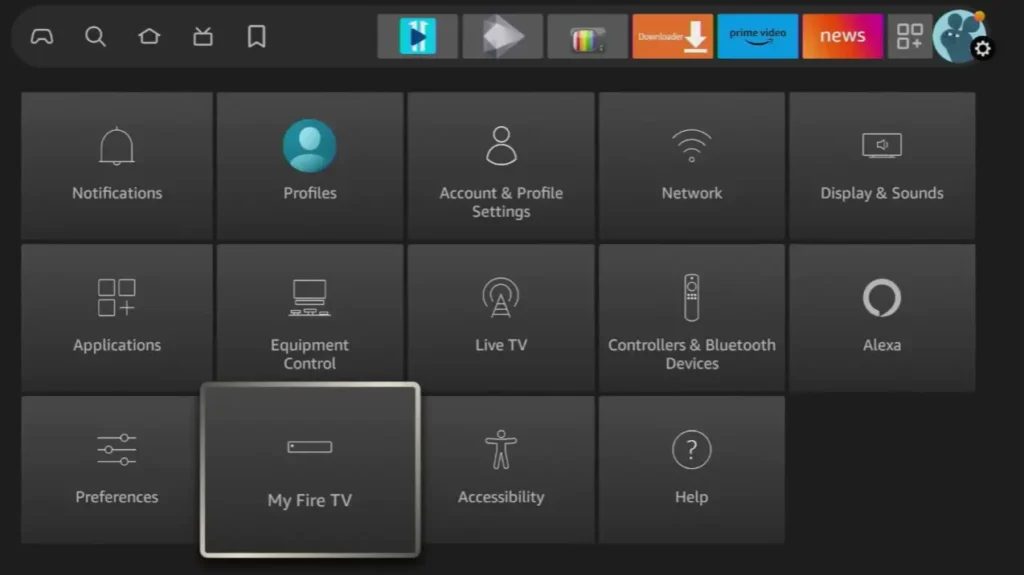
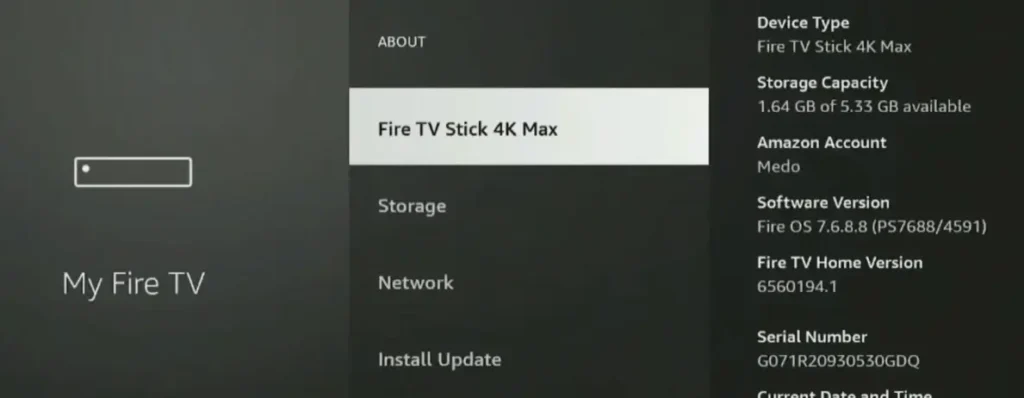
3. Open the settings of Firestick and click on “My Fire TV.”
4. Click on the “About” option.
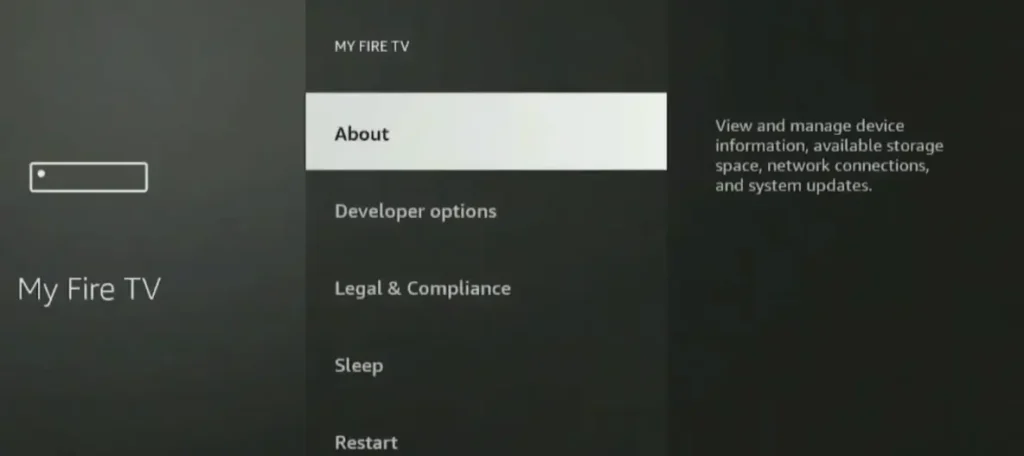
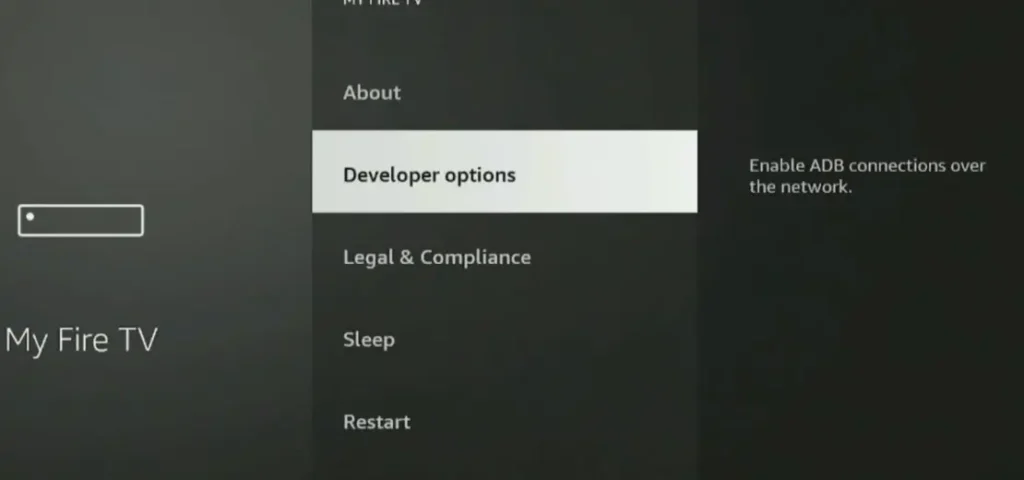
5. After clicking on About, click on the “Device Name” several times until it says you are in developer mode. Usually, after 7 clicks, developer mode is enabled.
6. Go one step back and select the installation from “unknown sources” and allow it.
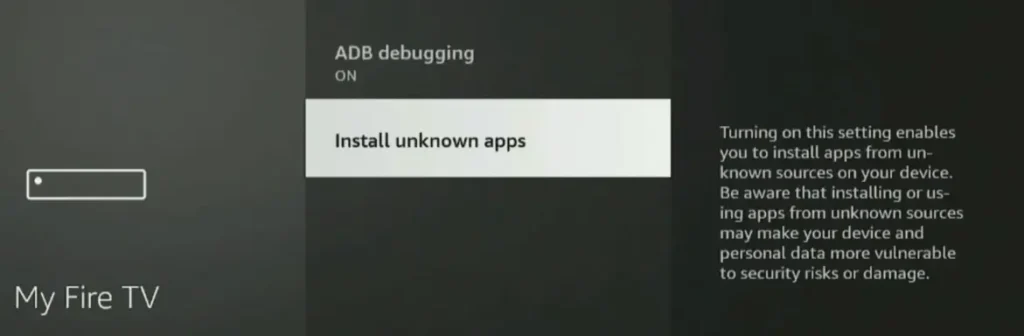
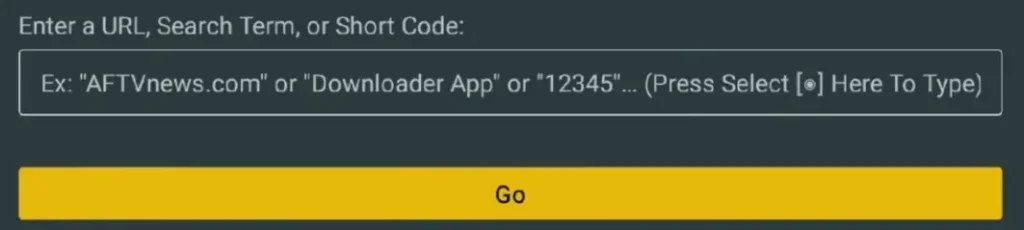
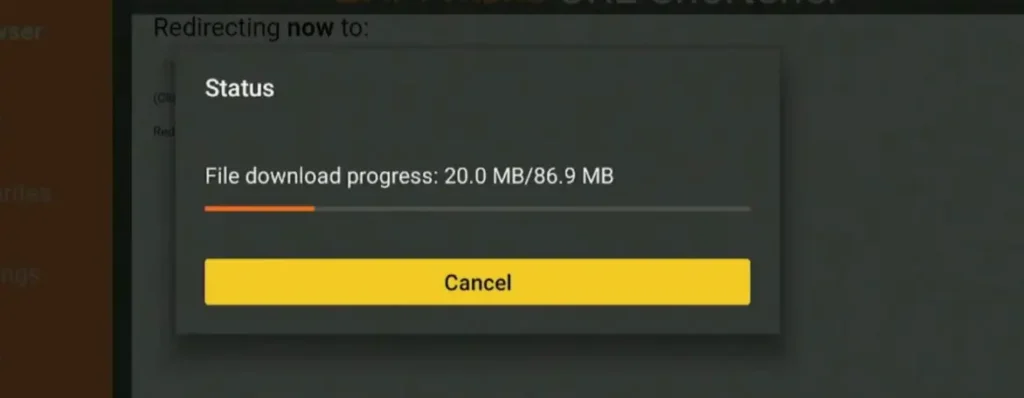
7. After enabling installation from an unknown source, open the downloader and search for Smarters Pro or enter the code to download the app. The code will be given to you by your IPTV subscription provider. The new code is 78522. Just enter the code, click on GO, and your player will start downloading.

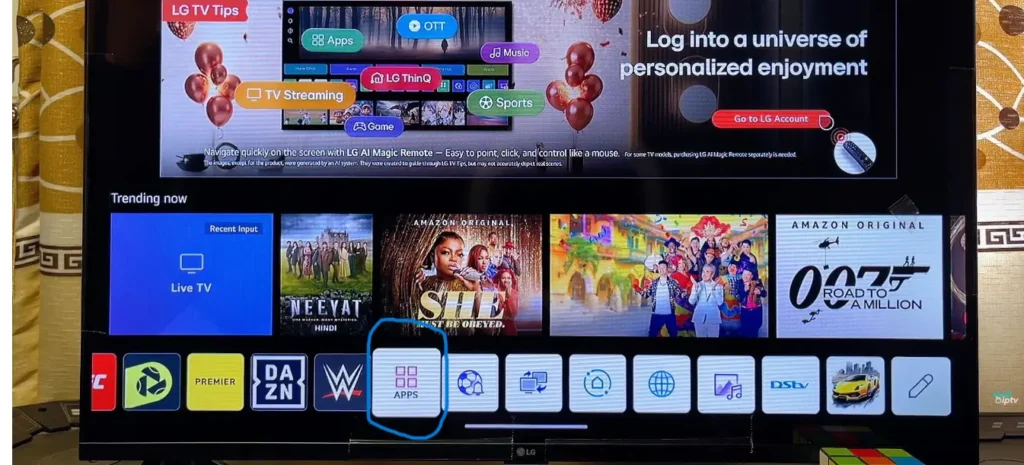
IPTV Smarters Pro setup on Smart TV (only works on Samsung & LG smart TVs)
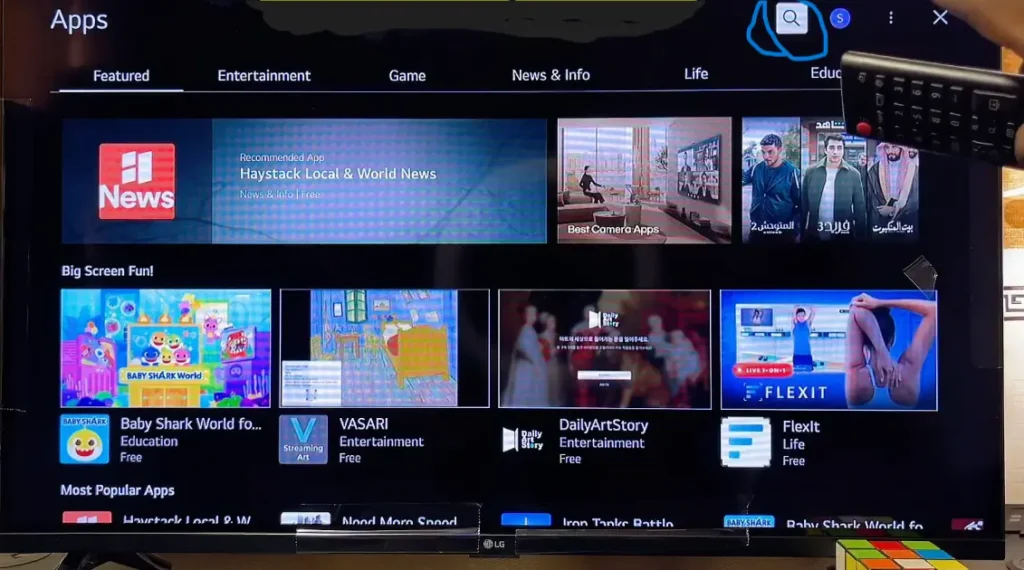
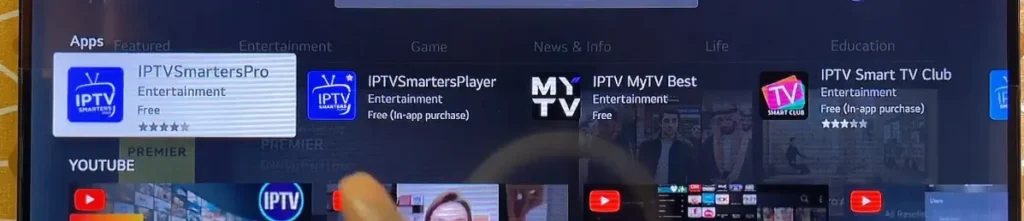
Downloading: Download IPTV Smarters Pro from the smart TV’s app store and install it.
Adding a playlist: Add an M3U link or Xtream API. It will load in 2-3 minutes, and your playlist will be added.
Another method is to share your MAC address with the provider; they will add the playlist for you and ask you to restart your smart TV; it will take 2-3 minutes to load the playlist.
IPTV Smarters Pro or Smarters Player Lite setup on smartphones (Android, tablets, iPhones, and iPads)
Android & Tablet Download: IPTV Smarters Pro is available to download from the Play Store on Android phones and tablets. But keep in mind that Smarters Pro only works on Android phones. It doesn’t work on tablets. For tablets, you need to download IPTV Smarters Lite from the Play Store.
iPhone & iPad download: You can download IPTV Smarters Lite from the App Store on iPhones and iPads. Remember, IPTV Smarters Pro also doesn’t work on iPhones and iPads.
Adding a Playlist:
- Open the app and tap Add User.
- Add the M3U link or Xtream API credentials in the player. It will load for 2-3 minutes, and your playlist will upload.
IPTV Smarters Pro setup on Android box
Download: Go to the app store of the Android box, search for IPTV Smarters Pro, download the app, and install it.
Adding a playlist:
- Open the app and click Add User.
- Add the M3U URL or API username, password, or link, and click on “Add” or “Upload.” It will load for 2-3 minutes, and your playlists will be added.
Adding playlist to IPTV Smarters Pro.
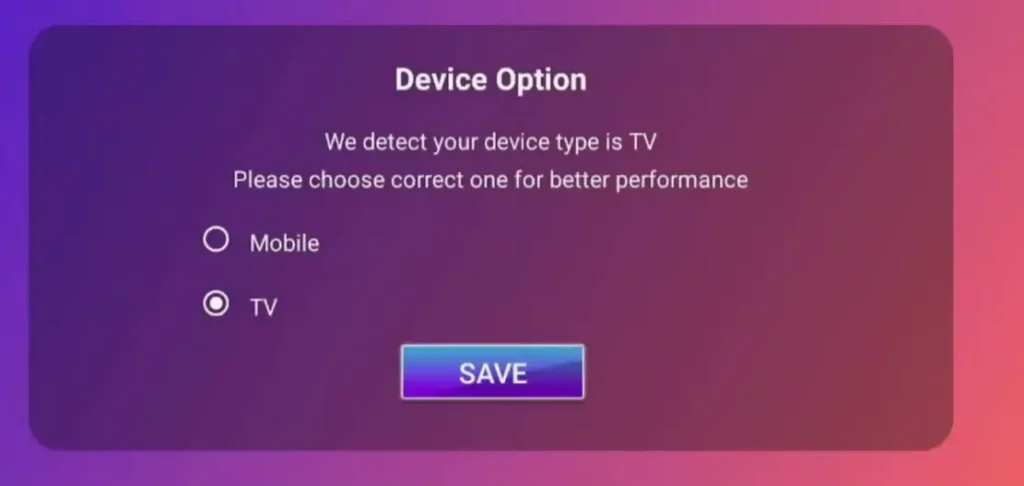
- After your download and install is completed. Open IPTV smarter pro PRO and select your device.
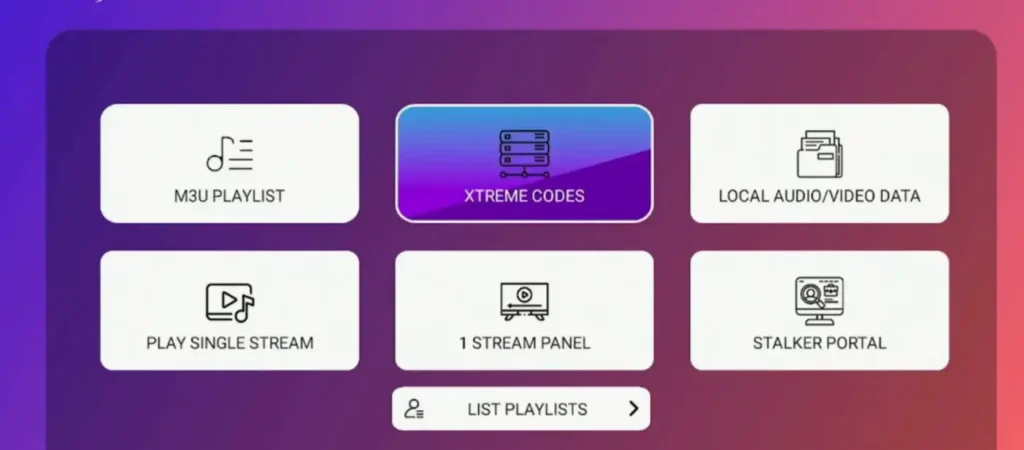
2. Select the way you wanna login. It has both M3U URL and Xtream API. Select the one and procedd.
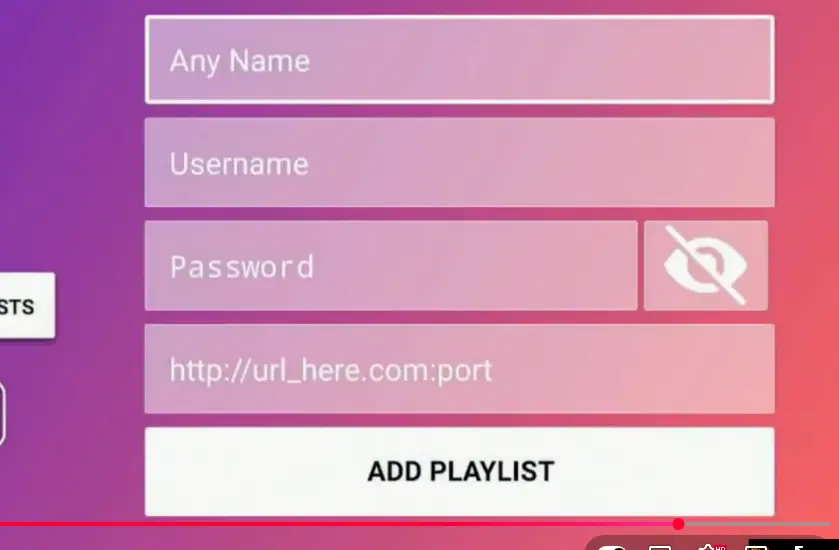
3. Add credentials. I selected Xtream API. You can log in via anything your Provider support.
Tips for the Best IPTV Experience on Smarters Pro.
- Choose a high-quality IPTV subscription. For a better experience, try IPTV Experts once. It is the best service overall.
- Enable high-performance settings in the app
- Use a VPN, but choose the nearest location. IPTV Experts has local servers, so you don’t need a VPN
- Keep the app updated. Outdated apps can reduce speed and cause stuttering during streaming.
