
IPTV players are like local video players. I think everyone is familiar with VLC Player and MX Player. IPTV players work similarly. The difference is that IPTV players require network management capabilities. We can add an IPTV subscription to an IPTV player and watch live channels and VODs (video on demand) on our local internet connection. On the other hand, local players play videos from our local storage without internet.
You just need to install an IPTV player, add an IPTV subscription, and you’re ready to go. There’s no need for a traditional dish or cable. You can set up your device yourself. No need for an expert to set up your device. Most of the IPTV subscription providers help you set up your device step by step.
We are going to discuss the best player for each device and the best IPTV player overall. You can jump straight to your device from our Table of Contents to know the best player for your device.
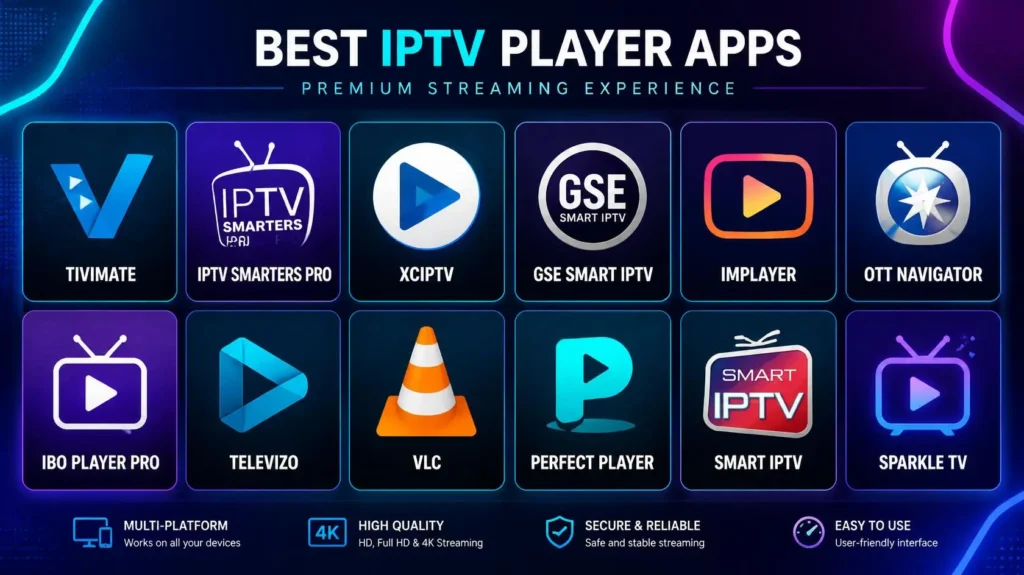
What is an IPTV player?
An IPTV player is a software application that reads an IPTV subscription and plays live channels, movies & series, and VODs from an IPTV subscription on your local internet connection. IPTV subscription is encoded in an M3U URL or an Xtream API, and a player decodes the subscription and converts it into content.
NOTE: An IPTV player doesn’t have preloaded channels and VODs. You need to buy an IPTV subscription for the content. To buy a subscription, visit the IPTVEXPERT pricing plan.
Best IPTV player overall in 2026.
- Tivimate: Best player for Android TVs. We got the best response for this player from Android users. It has both free and paid versions. Its settings are complex for beginners.
- IPTV Smarters Player: The best for almost all devices. It has both paid and free versions. It is the easiest to set up.
- VLC Media Player: Best for Windows and all the devices that support VLC.
- Smart IPTV (SIPTV): Best overall for smart TVs
Best paid and free player overall.
This is a list of all the best free and paid IPTV players. We decided this based on device hardware and real user reviews.
| 🆓 Best Free IPTV Players | 👑 Best Paid IPTV Players |
| 🟢 VLC Media Player | 👑 TiviMate Premium |
| 🛠️ Kodi | ✨ IPTVX |
| 📺 IPTV Smarters Player | 📺 IBO Player |
| 🚀 OTT Navigator | 🎛️ Smart IPTV (SIPTV) |
| 📱 Televizo | 🧰 OTT Navigator Premium |
| 📡 SS IPTV | ⭐ iPlayTV |
Best IPTV Player for each device.
We collected raw information about the players and devices. We collected real user reviews about the players and the best players for each device. We explored every discussion platform and created this list. If you have any better suggestions, please share them with us so that we can provide the best for our users. We’ll be thankful to you if you help us and our users in the comments section. This list is created based on the following things.
- Player compatibility with devices on a hardware basis.
- Real user experiences and reviews.
- Our IPTV customer satisfaction with the players
- People’s opinions on discussion platforms.
Best paid and free player for Android boxes:
For the setup of player on IPTV box read our completer step by step guide on IPTV box.
Best paid players
- First choice: TiviMate Premium.
- Second choice: OTT Navigator Premium.
Best Free Players:
- First choice: IPTV Smarters.
- Second choice: Televizo.
Best paid and free player for Firestick and Fire TV box:
For setting up IPTV player on firestick or Fire Cube visit of Fire stick guide.
Best paid players
- First choice: TiviMate Premium.
- Second choice: IBO Player.
Best Free Players:
- First choice: IPTV Smarters.
- Second choice: VLC.
Best paid and free player for Samsung smart TVs and LG smart TVs:
Read complete setup guide of IPTV on Smart TV.
Best paid players
- First choice: IBO Player
- Second choice: Smart IPTV
Best Free Players:
- First choice: SS IPTV
- Second choice: IPTV Smarters.
Best paid and free player for Apple TV:
Best paid players
- First choice: IPTVX
- Second choice: iPlayTV
Best Free Players:
- First choice: IPTV Smarters
- Second choice: VLC
Best paid and free player for Android phones/tablets:
Best paid players
- First choice: Televizo Premium
- Second choice: OTT Navigator Premium
Best Free Players:
- First choice: Televizo
- Second choice: IPTV Smarters
Best paid and free player for iPhone/iPad:
Best paid players
- First choice: IPTVX
- Second choice: GSE Smart IPTV
Best Free Players:
- First choice: IPTV Smarters Lite
- Second choice: VLC
Best paid and free player for Windows PC:
Best paid players
- First choice: IPTV Smarters
- Second choice: Second choice is also IPTV Smarters Pro.
Best Free IPTV Players:
- First choice: VLC
- Second choice: Kodi
Best paid and free player for Mac/Macbook:
Best paid players
- First choice: IPTVX
- Second choice: IPTVX
Best Free Players:
- First choice: VLC
- Second choice: Kodi
Best paid and free player for NVIDIA Shield:
Best paid players
- First choice: TiviMate Premium
- Second choice: OTT Navigator Premium
Best Free Players:
- First choice: IPTV Smarters
- Second choice: Televizo
Best paid and free player for Mag Boxes:
Mag boxes have built-in portal software. This portal software is far better than any IPTV player. If you have a Mag box, then don’t buy any IPTV player. Just open the portal on your device and add the M3U URL, and you are ready to go. Restart your device after adding the URL; it will load for 2-3 minutes, and your playlist will be added.
Best paid and free player for Roku/Roku TV:
If you have a Roku TV, we suggest you use Roku Media Player (RMD). This is the best one. If you still want to use another player, then the list is given below.
Best paid players
- First choice: Emby Premiere
- Second choice: IPTV Smarters Pro
Best Free Players:
- First choice: Roku Media Player (RMD)
- Second choice: Plex Free Player.
Best paid and free player for Sony/TCL/Philips:
Best paid players
- First choice: TiviMate Premium
- Second choice: OTT Navigator
Best Free Players:
- First choice: IPTV Smarters
- Second choice: Kodi
Best paid and free player for Hisense smart TV.
Best paid players
- First choice: IBO Player
- Second choice: Smart IPTV (SIPTV)
Best Free Players:
- First choice: SS IPTV
- Second choice: IPTV Smarters Pro
Best paid and free player for Formuler boxes:
Best paid players
- First choice: MyTVOnline
- Second choice: Tivimate
Best Free Players:
- First choice: MyTVOnline free tier.
- Second choice: Model-dependent.
Setup of IPTV Players
Setting up IPTV players includes two simple steps. Download and install an IPTV player and add a playlist to the player.
Downloading and installing IPTV players:
- Go to the app store of your device
- Search for your favorite player
- Download and install it.
Adding a playlist to an IPTV player.
You can add your IPTV subscription to the IPTV player in two ways.
- M3U URL Method 1 Yourself: You need to search for your player on Google. Open the official website of your player, click on the menu option, and search for “add playlist.” They’ll ask you for the MAC address and password. You can find the MAC address and password in your app. Log in, add the M3U URL, and save it. Restart your application, and it will take 2-3 minutes to load, and your playlist will be added.
- M3U URL Method 2: Your IPTV provider will add the playlist to your app. The second easiest method is to share your MAC address with your IPTV subscription provider, and he will add the playlist for you. You just need to restart the device.
- Xtream API: If you are given Xtream API credentials, you just need to add the username, password, and URL into the app and click Add, and you are all set.
NOTE: You need to select the Xtream API login from the dashboard of your app.
Best IPTV subscription for an IPTV player: how to buy it?
The best IPTV subscription for any device and player is the IPTV Expert premium IPTV subscription plan. It includes live channels, VODs, live shows, PPV events, and all premium sports channels. We provide 24/7 support and a 7-day money-back guarantee. No contract, no documents required, and no personal information.
If you want to buy a subscription from somewhere else, ask them for a strong 8K server subscription. It is the best server so far. All our customers are satisfied with this server.
How to buy an IPTV subscription and get started with IPTVEXPERT.
You can get started with IPTVEXPERT in three simple steps
Step 01
Go to our subscription plans and place the order for the subscription that best suits you.
Step 02
You will receive the billing account in your email and pay the bill. If you are satisfied with WhatsApp payment or have any questions, contact us on WhatsApp. After the payment, you will get your credentials instantly. If you need to set up your device, visit our setup guide or contact our team via WhatsApp, and they will help you setup your device step by step till the end.
Step 03
You will get the credentials for your IPTV subscription; you just need to add those credentials to your IPTV player, and you are ready to go.
